
 Public Qwen Image 3 reference · JXP
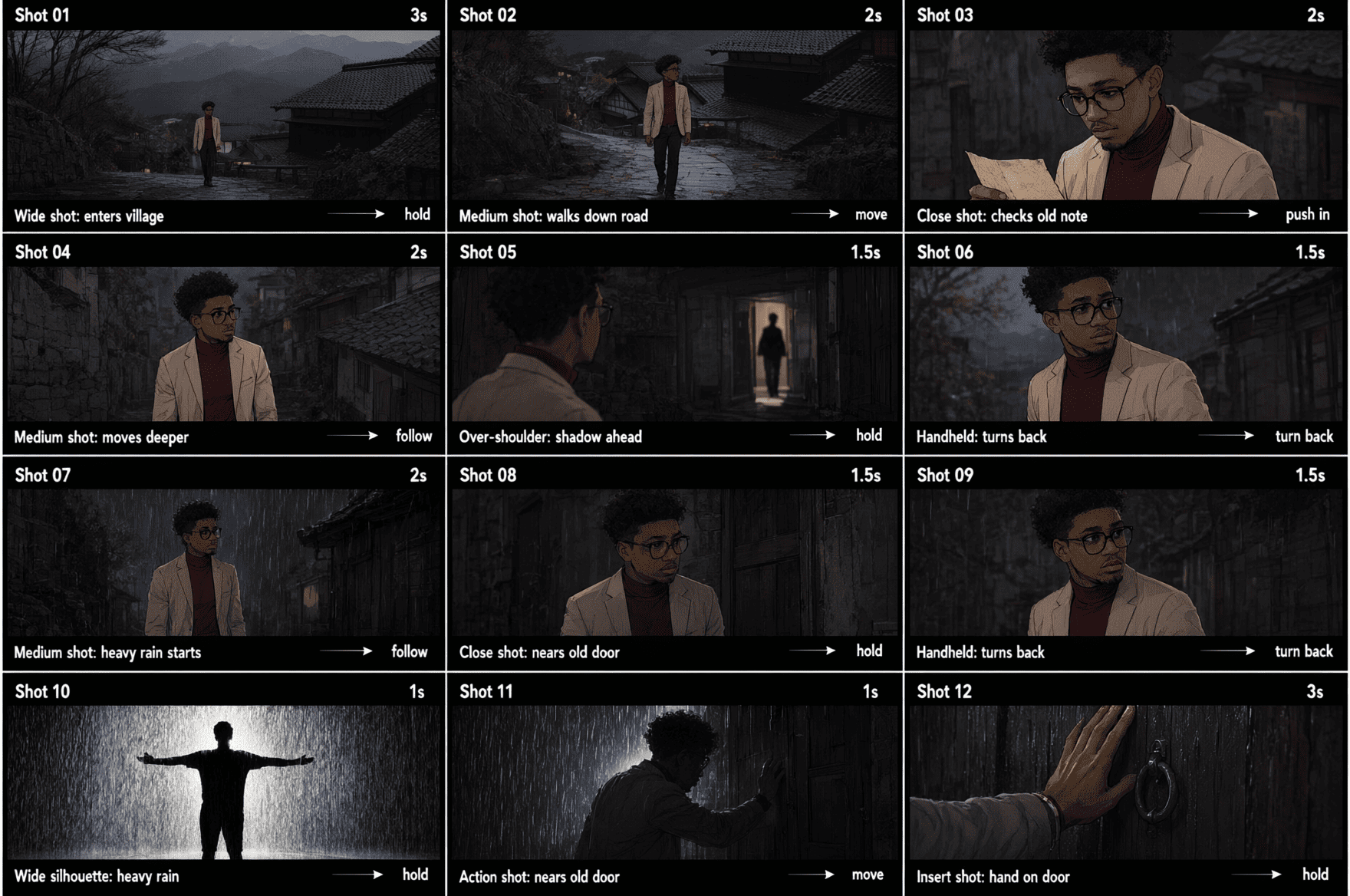
Storyboard Continuity
A nine-panel sequence makes camera, subject, and action changes legible in one visual plan.
Explore Qwen Image 3 for rich, structured visual work: long prompts, readable multilingual text, fine detail, storyboards, interfaces, academic figures, and editorial images.
Generar 1 imágenes · 16 créditos en total
ImageMake currently opens this workflow with Qwen Image 2.
Qwen Image 3 is most interesting when the prompt describes the information architecture of the image, not just its subject. Use this three-step workflow to plan the brief and review the result.
Name the output type first: storyboard, infographic, interface, academic figure, portrait, product scene, or editorial frame.
Describe panels, columns, labels, hierarchy, reading order, subject placement, and the exact visual language before adding decorative detail.
Check the full-size output for small labels, formulas, hands, hair, paper texture, edges, and any details that matter to the final use.
These local images are public Qwen Image 3 references from the JXP showcase, not outputs generated by the current ImageMake form. Each card isolates a different proof point.
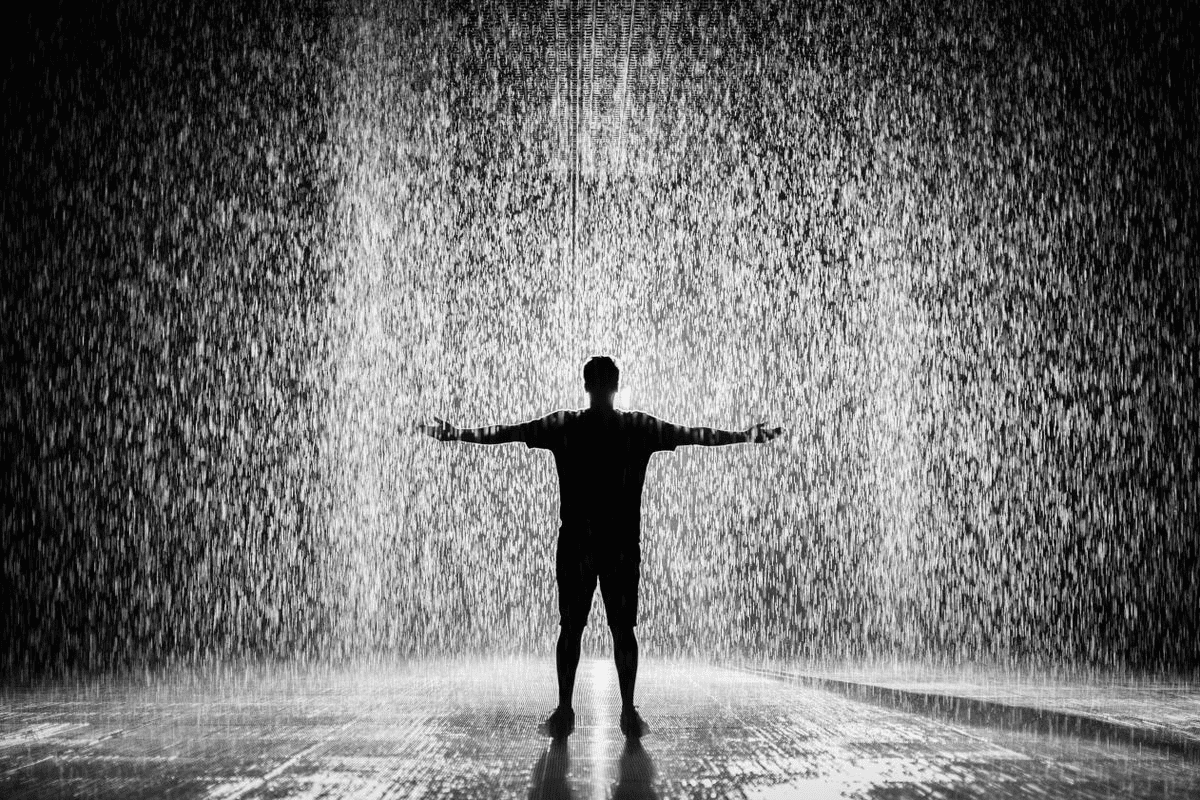
Longer briefs can describe a complete visual system: the subject, sequence, hierarchy, layout, and supporting details.
 Public Qwen Image 3 reference · JXP
 Public Qwen Image 3 reference · JXP
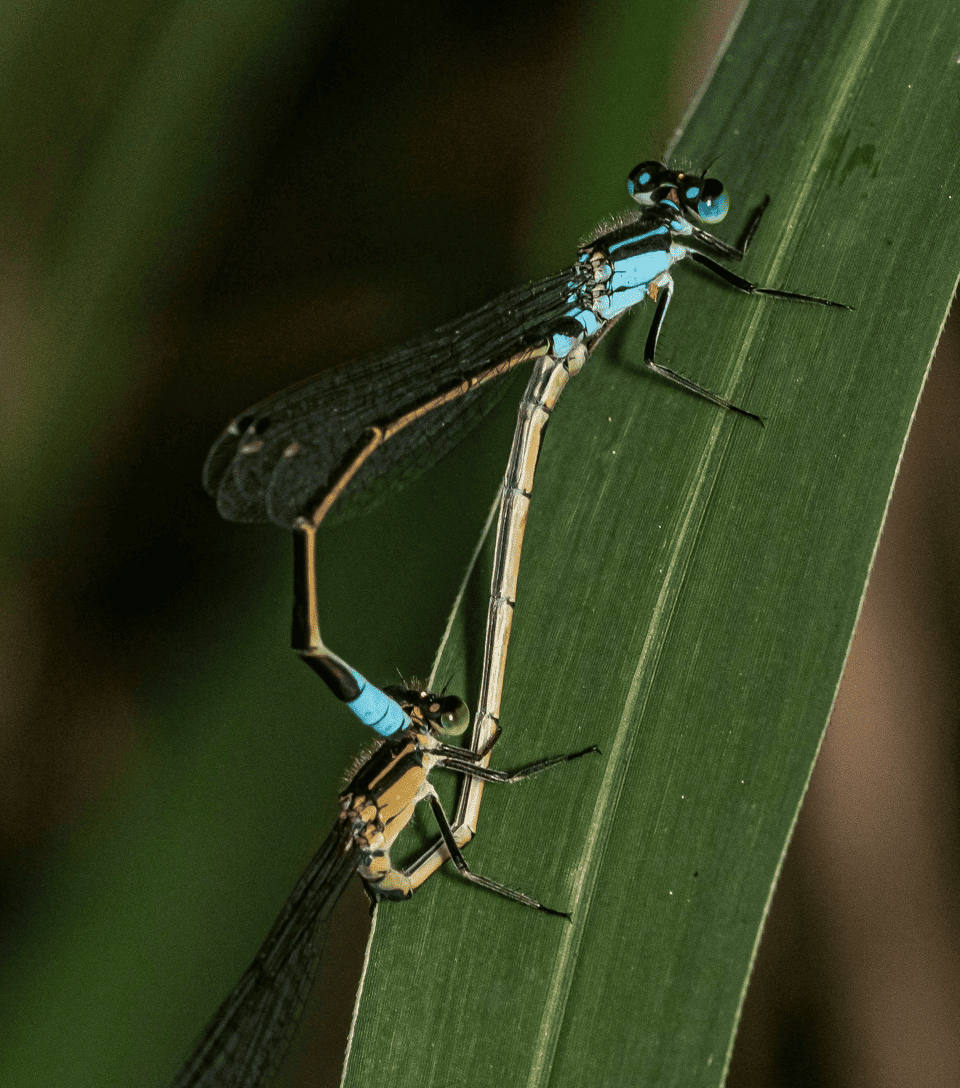
Qwen's announcement emphasizes fine visual detail; close-up references make it easier to inspect texture, edges, and small natural forms.
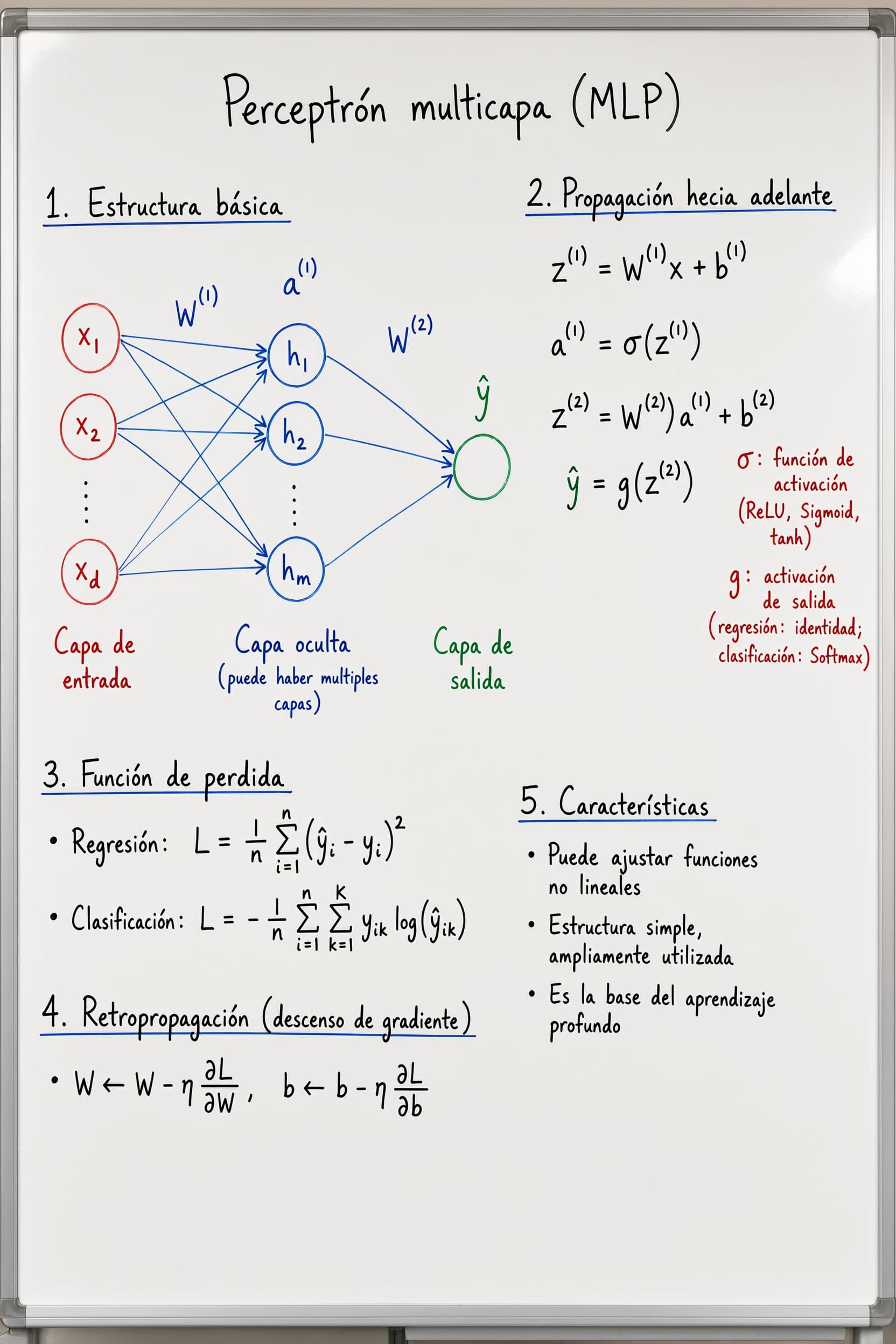
Academic pages and handwritten notes show how the brief can combine explanatory structure with visual rendering.
 Public Qwen Image 3 reference · JXP
 Public Qwen Image 3 reference · JXP
A precise prompt can describe a real creative material, its surface, the action, and the intended mood in one usable image brief.
Use the model brief when the image needs to communicate organized information as well as visual atmosphere.
Describe shots, camera changes, character continuity, and captions in one structured brief for early narrative planning.
Use clear hierarchy, formulas, handwritten notes, diagrams, and labels when the visual needs to support explanation or study.
Specify panels, controls, labels, cards, and reading order for interface-style concepts and information-rich marketing visuals.
Build a focused visual brief for portraits, product scenes, campaign art, manga pages, and other controlled creative directions.
This public reference set shows the range of information-rich images associated with the Qwen Image 3 brief. It is a visual research gallery, not a claim about the current ImageMake runtime.
Public Qwen Image 3 reference · JXPA nine-panel sequence makes camera, subject, and action changes legible in one visual plan.
 Public Qwen Image 3 reference · JXP
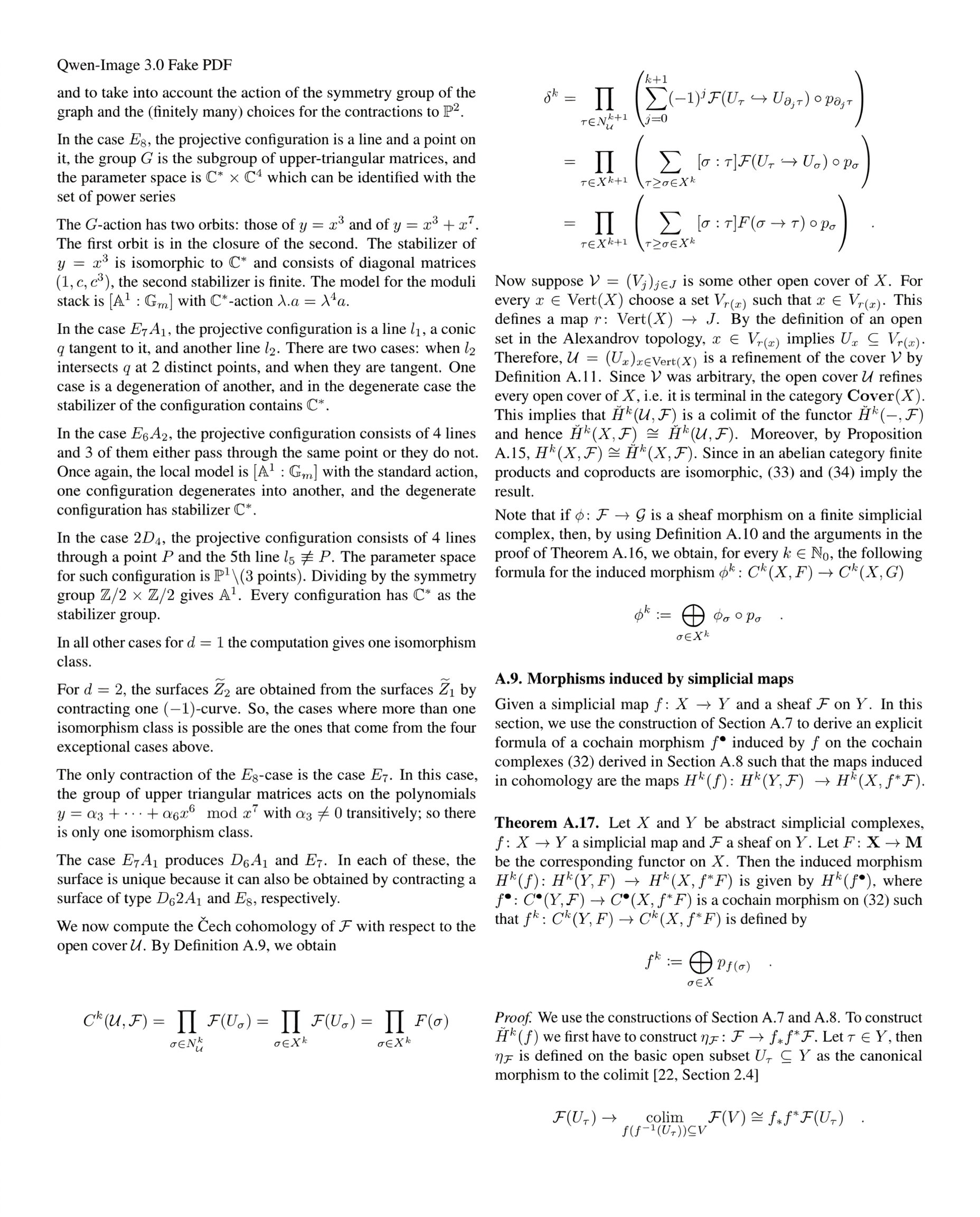
A structured paper page combines columns, formulas, hierarchy, and small explanatory text.
 Public Qwen Image 3 reference · JXP
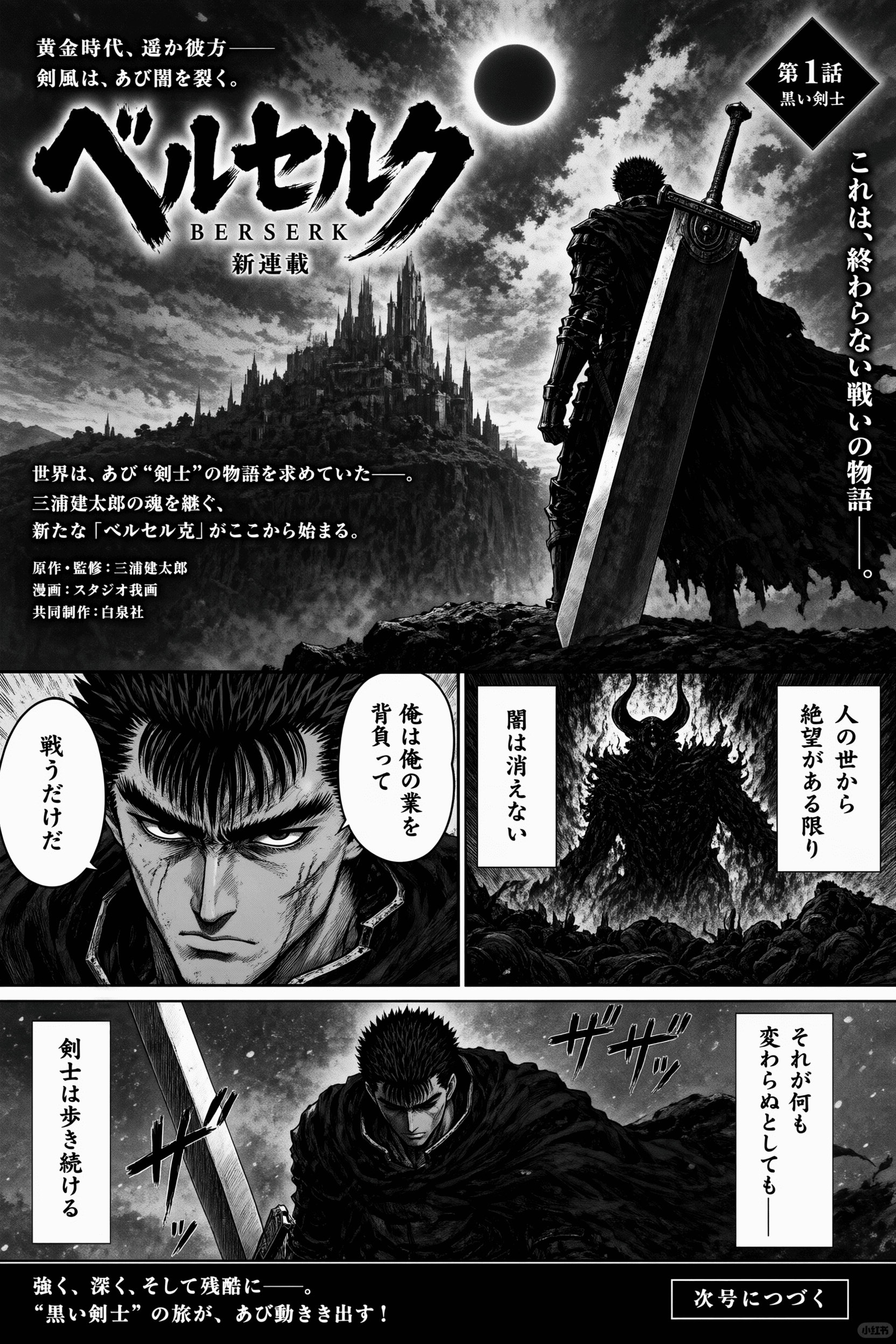
A black-and-white manga page demonstrates panel rhythm, dramatic framing, and non-English typography.
 Public Qwen Image 3 reference · JXP
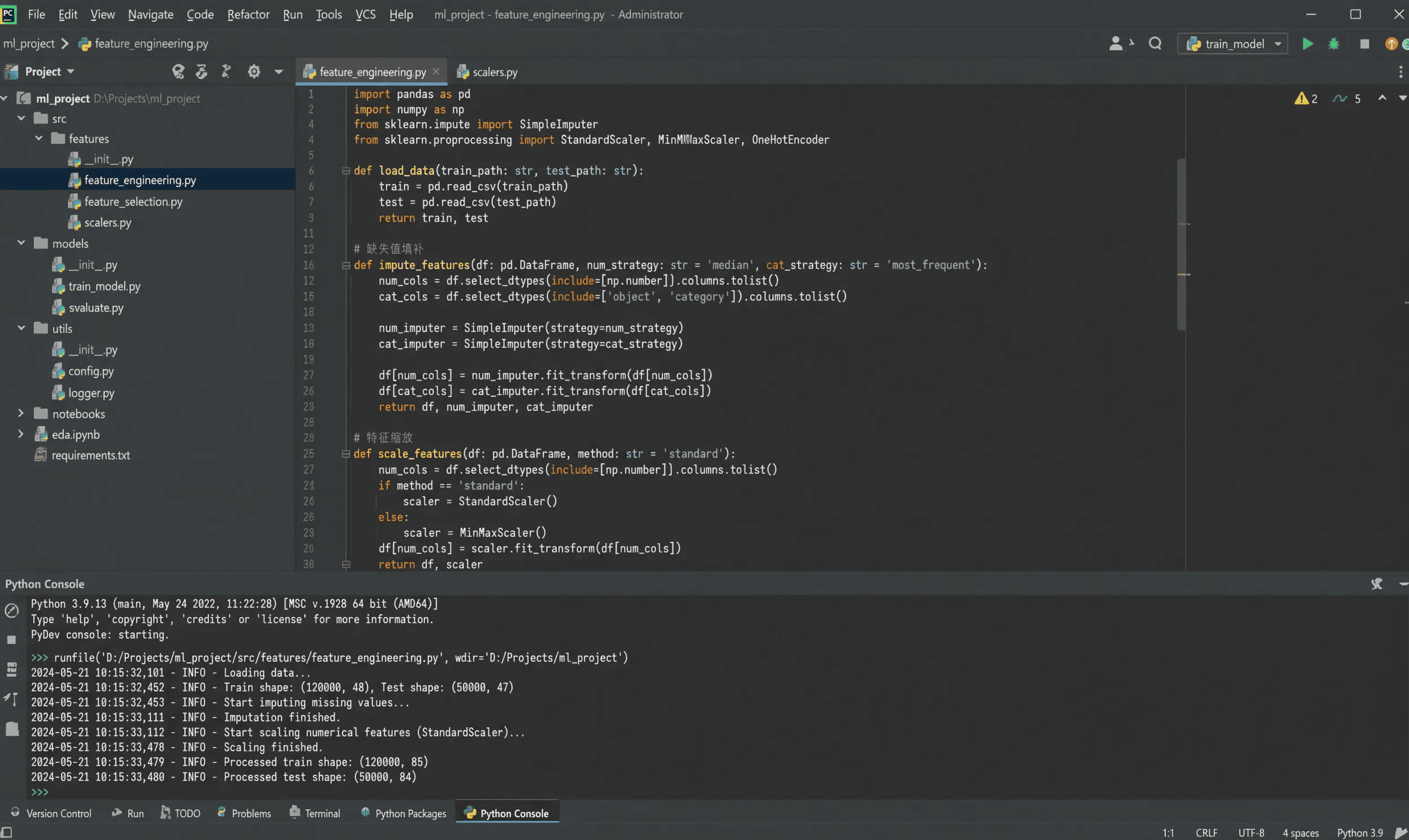
A code-editor scene uses nested panels, syntax-like text, and a clear interface reading order.
 Public Qwen Image 3 reference · JXP
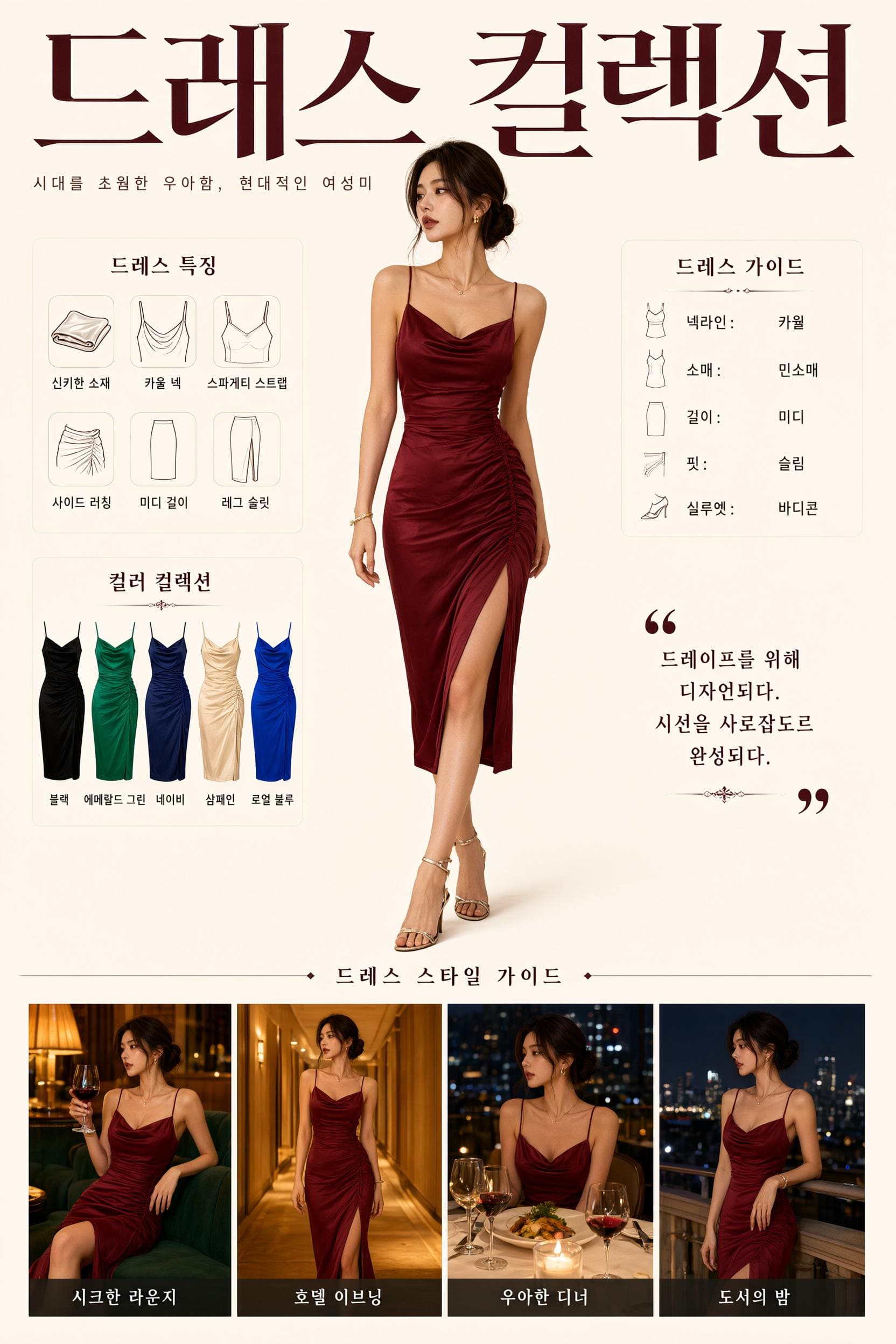
An editorial fashion layout combines a subject, product variants, Korean labels, and a vertical information hierarchy.
The examples below use public Qwen Image 3 references as visual direction. Expand each card to see a reusable formula, a full prompt, and a review checklist.
Estándares líderes de prompt Alignment Benchmark
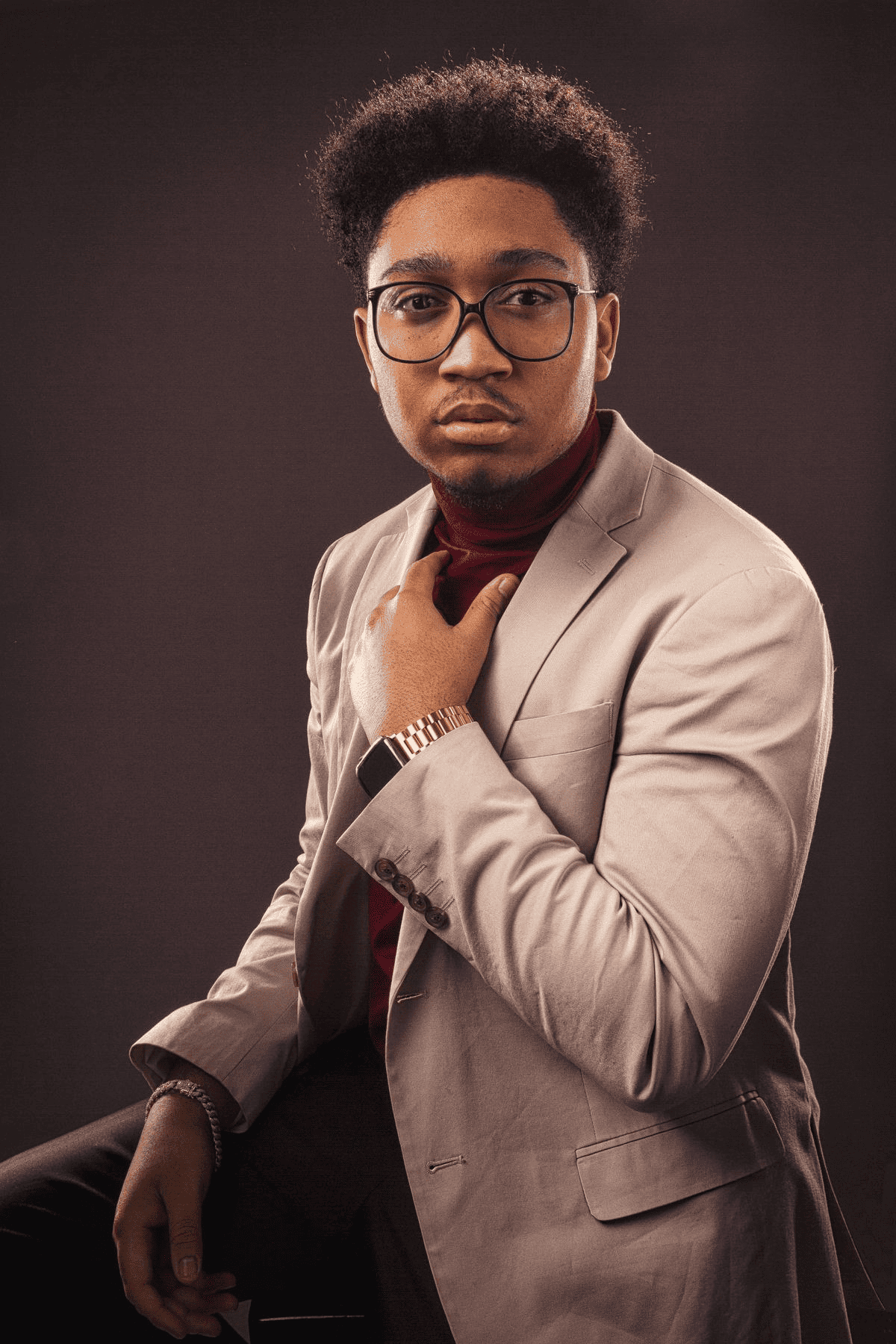
Best when the subject, wardrobe, pose, lighting, and editorial mood need to stay coherent.
Guía de flujo de trabajo de generación de buenas prácticas de Prompt con estándar industrial demostrado
[subject] + [wardrobe] + [pose] + [lighting] + [editorial mood]
Desglose detallado de prompt y descripción general
Create a polished editorial studio portrait of an adult model in a tailored beige suit adjusting his tie. Use a restrained warm-neutral palette, soft directional key light, subtle studio shadows, a direct composed pose, realistic fabric texture, and a premium magazine portrait mood. Keep the frame uncluttered and vertically composed.
Componentes funcionales principales que permiten a este Prompt entregar resultados destacados de alta calidad
It gives the model one clear subject, a concrete wardrobe, a single action, a controlled light source, and an explicit composition.
Resultado final deseado del proyecto generado
A portrait direction image for a fashion, brand, or editorial review.
Consejos expertos exclusivos para profesionales de la industria creativa
Estándares líderes de prompt Alignment Benchmark
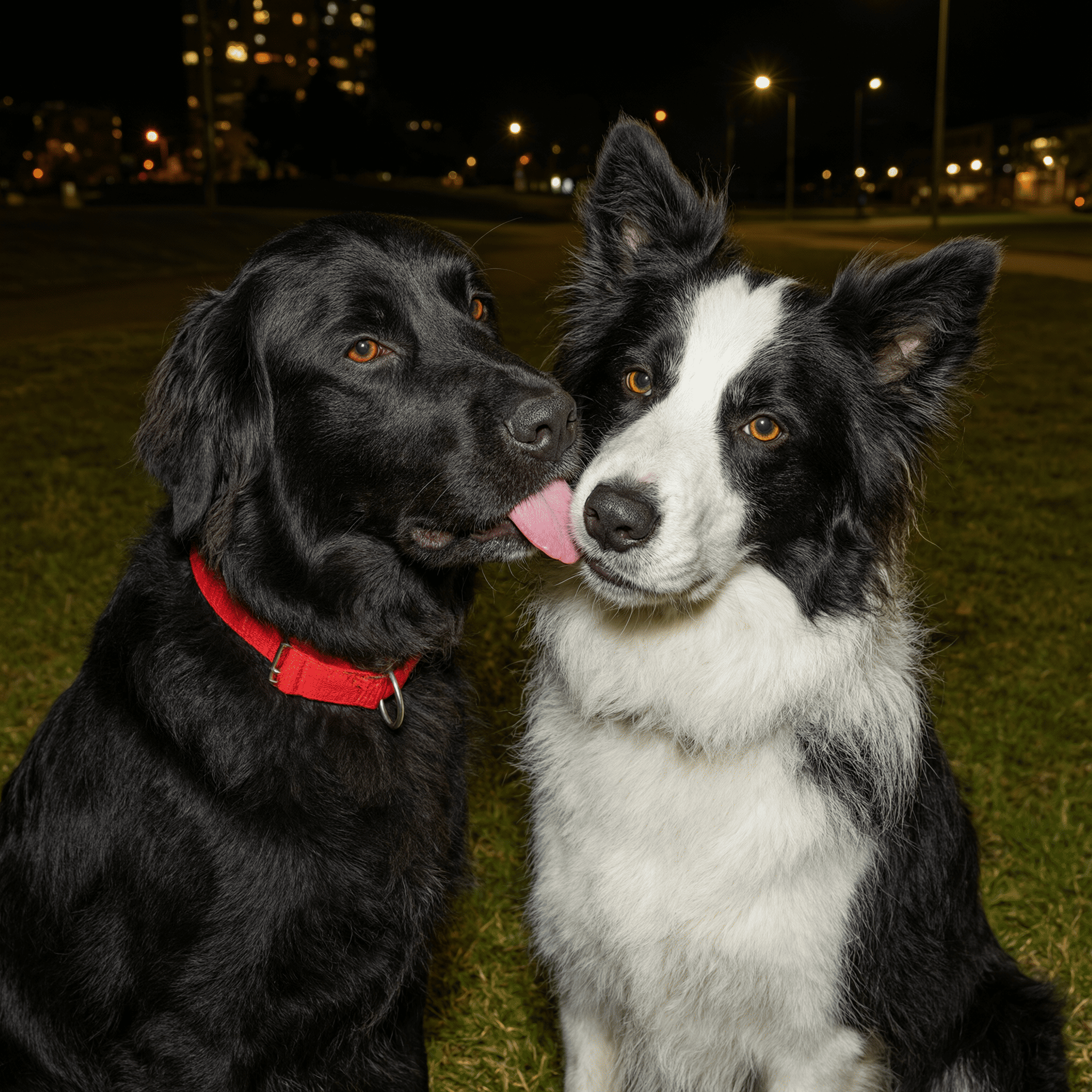
Useful when multiple subjects must remain distinct while the lighting still feels natural.
Guía de flujo de trabajo de generación de buenas prácticas de Prompt con estándar industrial demostrado
[subjects] + [relationship] + [environment] + [light] + [detail priority]
Desglose detallado de prompt y descripción general
Create a natural night portrait of two adult black-and-white dogs standing close together outdoors. Show their distinct coat patterns and facial expressions, a softly lit evening street background, gentle warm practical lights in the distance, realistic fur texture, and a candid companion-animal mood. Keep both faces readable and avoid merging their silhouettes.
Componentes funcionales principales que permiten a este Prompt entregar resultados destacados de alta calidad
The prompt establishes the relationship between subjects, the environment, the light, and the specific detail that must stay legible.
Resultado final deseado del proyecto generado
A warm, readable two-subject portrait for a personal or editorial visual brief.
Consejos expertos exclusivos para profesionales de la industria creativa
Estándares líderes de prompt Alignment Benchmark
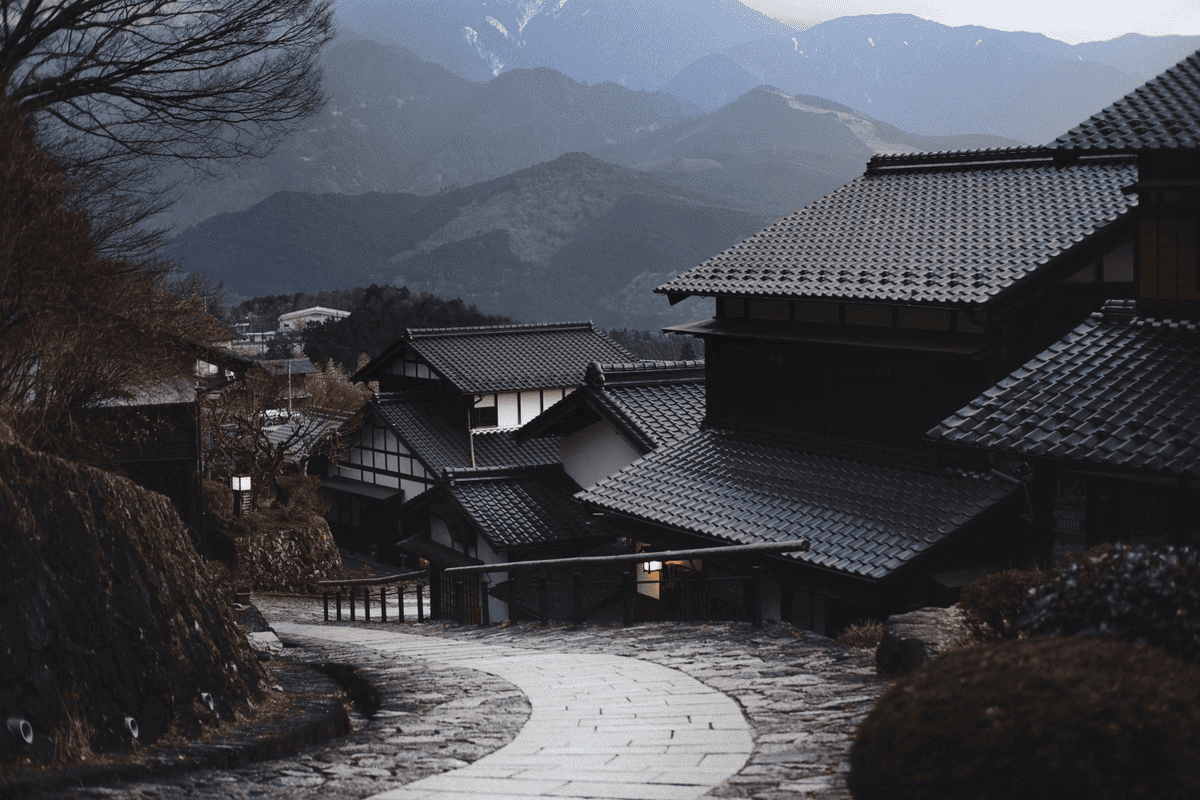
A good pattern for environments where architecture, path direction, weather, and depth all matter.
Guía de flujo de trabajo de generación de buenas prácticas de Prompt con estándar industrial demostrado
[place] + [architecture] + [path or focal line] + [weather] + [cinematic tone]
Desglose detallado de prompt y descripción general
Create a cinematic establishing frame of a quiet mountain village with dark tiled roofs, layered distant mountains, and a winding stone road leading through the foreground. Use cool overcast winter light, restrained gray-blue tones, subtle atmospheric depth, realistic roof texture, and a contemplative travel-film mood. Keep the road as the primary leading line.
Componentes funcionales principales que permiten a este Prompt entregar resultados destacados de alta calidad
It tells the model how the viewer should read the frame by making the road a leading line and defining the depth layers.
Resultado final deseado del proyecto generado
An environment concept for a storyboard, travel editorial, or visual development board.
Consejos expertos exclusivos para profesionales de la industria creativa
Estándares líderes de prompt Alignment Benchmark
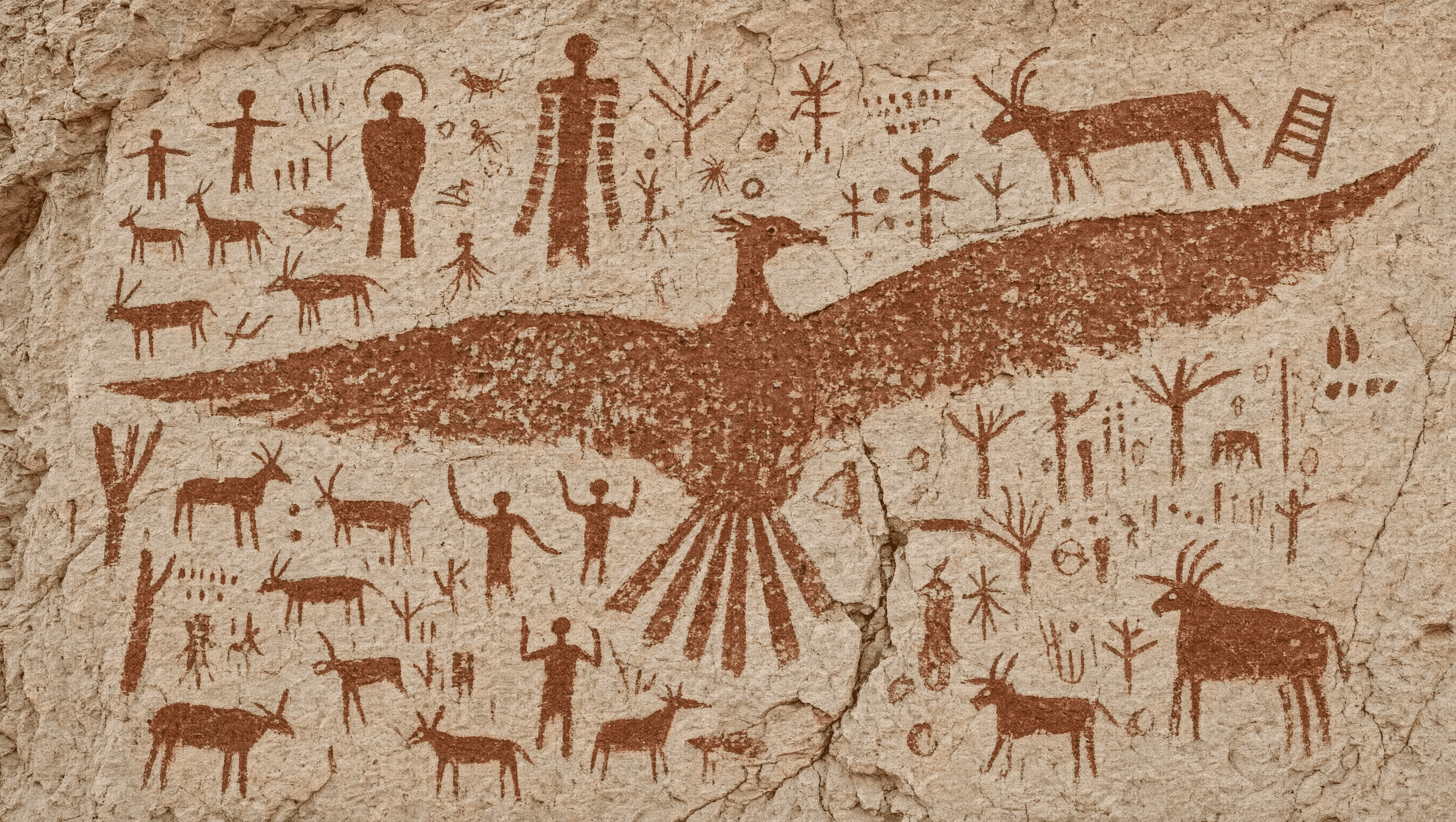
Useful for a constrained illustrative style where mark-making, palette, and subject inventory matter.
Guía de flujo de trabajo de generación de buenas prácticas de Prompt con estándar industrial demostrado
[art form] + [subject inventory] + [mark-making] + [palette] + [surface]
Desglose detallado de prompt y descripción general
Create a historically inspired prehistoric cave-painting illustration on a warm, weathered stone surface. Include hunters, running animals, hand-drawn symbols, and one large bird figure using flat ochre and dark brown pigment, simplified silhouettes, uneven brush or finger marks, and a documentary museum-study mood. Keep the scene readable as one wall composition rather than a modern poster.
Componentes funcionales principales que permiten a este Prompt entregar resultados destacados de alta calidad
It constrains the art form, the content inventory, the pigment palette, and the surface so the output stays stylistically coherent.
Resultado final deseado del proyecto generado
A controlled illustration concept for history education, a storyboard, or an art-direction reference.
Consejos expertos exclusivos para profesionales de la industria creativa
The Qwen Image 3 subject is a strong fit for structured, text-aware, detail-focused creative planning. Use the examples and capability discussion as a Qwen Image 3 reference brief, then choose the active ImageMake runtime that matches your production needs.
Use it when the image needs panels, labels, readable language, academic structure, interface-like elements, or a carefully specified visual hierarchy.
The active form is preset to Qwen Image 2. If you need an actual Qwen Image 3 provider execution, verify provider availability and runtime integration before treating this page as a live Qwen Image 3 endpoint.
Información útil sobre ImageMake
¿Aún tienes preguntas? Nuestro equipo de soporte está listo para ayudarte.
Explore adjacent ImageMake model pages when your project prioritizes a different runtime, visual style, or workflow boundary.
Open the current Qwen Image 2 model page for the enabled ImageMake runtime.
Compare a text-aware hosted image workflow for prompts where readable content is a central concern.
Explore another polished hosted image workflow for product, interior, and brand visuals.
Review an alternative image model page when open-model ecosystem considerations matter.
Start with the structured prompt patterns above, then open the ImageMake generator to explore the Qwen Image 3 workflow and public references.